Skip to content

There was a time when getting shortlisted depended heavily on job titles, years of experience, and whether your CV looked like it had been blessed by corporate tradition.

That time is fading.

More employers are leaning into skills-first hiring which is a hiring approach that focuses less on where you worked or what your title was, and more on whether you can actually do the job. It is a shift that broadens the talent pool and puts more emphasis on demonstrated ability, transferable skills, and real-world capability.

For job seekers, this is both encouraging and slightly inconvenient.

Encouraging, because you may not need the “perfect” background to be considered.

Inconvenient, because many CVs are still written for the old system.

If your CV is mostly a list of duties, generic buzzwords, and job titles doing all the heavy lifting, you may be getting overlooked not because you are unqualified, but because your CV is not showing your value clearly enough.

Let’s fix that.

What is skills-first hiring?

Skills-first hiring is an approach where employers prioritize a candidate’s skills and demonstrated abilities over traditional filters like exact job titles, degree pedigree, or a perfectly linear career path.

Instead of asking, “Has this person held this exact role before?” employers are increasingly asking:

  • Can this person perform the core tasks of the role?
  • Do they have the relevant technical and soft skills?
  • Can they show evidence of impact?
  • Are their skills transferable into this position?

That means employers may care less about whether you were called “Operations Coordinator” or “Project Support Officer” and more about whether you can manage timelines, communicate with stakeholders, improve processes, use the right tools, and deliver results.

In plain English: your CV needs to stop relying on labels and start proving capability.

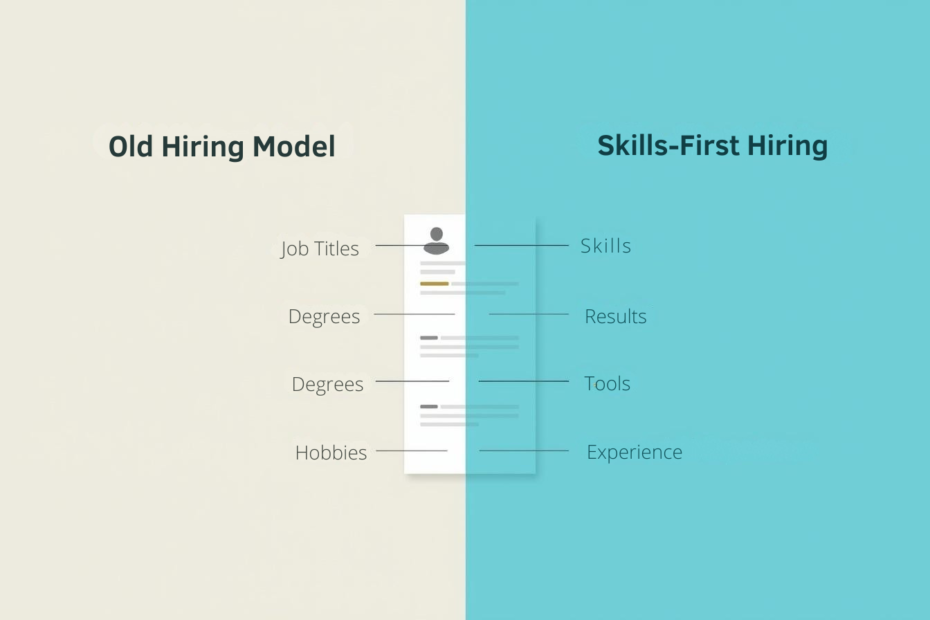
Old CV vs Skills-First CV
Visual with two columns

Why skills-first hiring matters

This shift matters because it changes what gets attention.

In a skills-first market, employers are often more open to candidates who are:

  • changing careers
  • returning to work after a break
  • moving industries
  • coming from nontraditional backgrounds
  • self-taught or certified rather than following one tidy route
  • stronger in actual ability than in impressive-sounding titles

This is especially useful for anyone who has ever thought:

“I can do this job, but my background doesn’t look like the usual one.”

That is exactly where a better CV makes a difference.

LinkedIn’s 2026 skills insights show that fast-growing skills are evolving quickly, and Indeed’s guidance continues to emphasize transferable skills as critical for career change and long-term employability.

What skills-first hiring is not

Let’s clear up one common misunderstanding.

Skills-first hiring does not mean experience no longer matters.

It does.

It also does not mean qualifications are irrelevant. In regulated or specialized roles, they still matter a great deal.

What has changed is the order of importance. More employers want evidence of capability earlier in the process, especially for roles where success depends on communication, digital tools, project execution, analysis, adaptability, and collaboration.

So no, you do not need to throw your work history overboard.

You just need to stop making it the only story your CV tells.

Signs your CV is still written for the old hiring model

Your summary is vague

If your profile says:

“Hardworking professional with excellent communication skills and a passion for success”

…that could describe half the internet.

Recruiters need clearer evidence than “hardworking.” Most people are not putting “occasionally disorganized under pressure” on their CV.

Your experience section reads like a job description

If your bullets say things like:

  • Responsible for managing projects
  • Worked with stakeholders
  • Handled customer issues
  • Supported business operations

…you are describing activity, not value.

Your skills section is disconnected from your work history

Listing “leadership,” “problem-solving,” and “teamwork” without proving them anywhere else is not persuasive.

Your CV emphasizes titles more than outcomes

A title gives context, but titles vary wildly across companies. Skills and results travel better.

You are underselling transferable experience

Projects, volunteer work, certifications, side work, and cross-functional tasks may contain the exact skills the employer wants but many candidates bury them.

How to rewrite your CV for skills-first hiring

1. Start with the job description, not your old CV

Before editing anything, study the role you want.

Look for:

  • repeated skills
  • tools and systems mentioned more than once
  • action words
  • business outcomes expected
  • keywords tied to the role’s priorities

For example, if a job description repeatedly mentions:

  • stakeholder communication
  • process improvement
  • project coordination
  • reporting
  • cross-functional collaboration

…those are signals.

Your CV should reflect the same language naturally and honestly, where it is true.

2. Rewrite your professional summary around capability

Your summary should quickly answer one question:

What can this person do well, and in what kind of environment?

Instead of this:

Experienced professional with a strong work ethic and excellent interpersonal skills.

Try this:

Detail-oriented project support professional with experience coordinating cross-functional tasks, improving workflows, and keeping deliverables on track in fast-paced environments. Skilled in stakeholder communication, documentation, reporting, and process support, with a track record of helping teams work more efficiently.

That sounds like someone who can contribute, not someone hoping the recruiter guesses.

3. Turn job duties into skill-and-impact bullets

This is one of the biggest improvements you can make.

A weak bullet says what you were assigned.

A strong bullet shows the skill you used and the result it created.

Instead of:

  • Responsible for managing calendars and meetings

Try:

  • Coordinated schedules, meetings, and follow-ups across multiple stakeholders, helping improve team organization and reduce scheduling conflicts

Instead of:

  • Handled customer complaints

Try:

  • Resolved customer issues through clear communication and timely follow-up, contributing to a better service experience and faster issue resolution

Instead of:

  • Worked on testing software

Try:

  • Executed manual and automated test cases, identified defects early in the release cycle, and supported smoother launches through structured QA processes

The pattern is simple:

Action + skill + context + result

4. Make your skills section smarter, not longer

A long skills section is not automatically a strong one.

Group your skills in a way that is easy to scan.

Core Skills
Project coordination, stakeholder communication, process improvement, reporting, documentation, requirements clarification

Technical Tools
Excel, Jira, Trello, Asana, SQL, Power BI, Salesforce, Zendesk

Operational Strengths
Problem-solving, workflow support, quality assurance, cross-functional collaboration, time management

List skills you can support elsewhere in the CV.

Do not claim “advanced Excel” if your current relationship with formulas is mostly stress and optimism.

5. Highlight transferable skills clearly

This is especially important if you are changing roles or industries.

Transferable skills are exactly what they sound like: abilities you can carry from one role to another. Indeed’s career guidance highlights these as especially valuable for people moving roles or industries.

Some examples include:

  • communication
  • coordination
  • analysis
  • documentation
  • customer support
  • leadership
  • training
  • quality control
  • problem-solving
  • scheduling
  • compliance
  • process improvement

Someone moving from customer service into project coordination may already have experience in:

  • handling multiple priorities
  • communicating with different stakeholders
  • resolving problems quickly
  • documenting issues
  • managing expectations
  • keeping tasks moving

That is not irrelevant experience. That is usable experience with poor marketing.

6. Add evidence, not just adjectives

Words like “excellent,” “dynamic,” and “proven” are fine in moderation, but evidence is stronger.

Where possible, show:

  • numbers
  • efficiency gains
  • improvements
  • volume handled
  • time saved
  • quality improvements
  • scope of responsibility
  • successful outcomes

For example:

  • Supported testing across multiple releases, helping catch issues before deployment
  • Improved documentation accuracy by maintaining clear process records and timely reporting
  • Coordinated cross-team activities to keep deadlines on track
  • Helped streamline workflow by organizing tasks, updates, and follow-ups

Even when you do not have exact numbers, concrete detail is still better than vague praise.

7. Use the language employers actually use

If the job description says “stakeholder management” and your CV says “worked with people,” you are making life harder than necessary.

Using employer language helps with:

  • ATS matching
  • recruiter recognition
  • clearer alignment
  • stronger relevance

This does not mean stuffing your CV with keywords until it sounds like a broken recruitment bot.

It means using familiar, accurate language that matches the role.

8. Consider a hybrid CV format if your background is non-linear

If you are pivoting careers, returning after a break, freelancing, or coming from a mixed background, a traditional chronological CV may not show your strengths well.

A hybrid CV can work better.

That format usually includes:

  • a strong summary
  • a targeted skills section near the top
  • selected achievements or competencies
  • work history after that

This lets the employer see your relevance before they start judging your timeline.

A quick before-and-after example

Before
Administrative Assistant

  • Answered emails and phone calls
  • Scheduled meetings
  • Helped with reports
  • Worked with other departments

After
Administrative Assistant

  • Coordinated internal communication, scheduling, and follow-up across teams to support smooth daily operations
  • Prepared reports and maintained documentation with strong attention to accuracy and deadlines
  • Collaborated with multiple departments to keep tasks aligned and resolve administrative bottlenecks
  • Supported workflow efficiency by organizing information, tracking actions, and ensuring timely updates

Same person. Much stronger positioning.

Final thought

Skills-first hiring creates opportunity for capable people whose backgrounds may not look “perfect” on paper.

But opportunity still needs visibility.

If your CV does not clearly show your skills, your strengths can still be missed.

So rewrite your CV with this in mind: less title worship, less vague fluff, more proof.

Because in this market, “I have experience” is not enough.

Your CV needs to say:

Here is what I can do, here is where I have done it, and here is why it matters.

That is the version recruiters are far more likely to remember.

Leave a Reply

Your email address will not be published. Required fields are marked *

Most people don’t need a brand-new resume. They need a resume that stops tripping over its own shoelaces.

Because applying with an old CV is like showing up to an interview with toothpaste on your shirt. You might still be brilliant… but now everyone’s distracted.

This is your 60-minute refresh which is a practical reset you can do before you apply anywhere. No perfection. No drama. Just the changes that actually move the needle.

Set a timer. Make a cup of tea (or coffee). Let’s do it.

Minute 0–10: Strip the formatting that breaks screening

Your resume should be easy for systems to parse and humans to skim.

Do this fast clean-up:

  • Switch to a single-column layout.
  • Remove tables, text boxes, icons, skill bars, and fancy sidebars.
  • Use standard fonts (Calibri, Arial, Times New Roman—boring is beautiful).
  • Keep headings simple: Summary, Skills, Experience, Education, Certifications.
  • Make sure your contact info is plain text at the top (not floating in a header graphic).

Quick test: copy your resume into a plain text editor. If it turns into spaghetti, your formatting is doing too much.

Minute 10–20: Rewrite your “top third” (the part recruiters actually read)

You need to know what actually gets you through screening. Recruiters typically scan the top third of page 1 first. That’s where your resume either:

  • feels instantly relevant, or
  • gets mentally parked in “maybe later” (which is basically “no”).

Refresh these pieces:

1) Your headline (one line)

Use a title that matches the job you want:

  • “Customer Success Manager | SaaS Onboarding | Retention”
  • “QA Engineer | Automation + API Testing | Fintech”

2) Your summary (3–5 lines)

Use this structure:

  • Who you are (role + scope)
  • What you’re known for (strengths tied to the job)
  • Proof (a metric or outcome)
  • Tools/keywords (only the real ones)

Example:

QA Engineer with 8+ years supporting web and API releases across regulated environments. Known for reducing escaped defects through risk-based testing and clean test data practices. Recently improved regression speed by 30% by tightening suites and improving triage. Tools: Jira, Postman, Cypress, SQL.

No fluff. No “dynamic self-starter.” (If you’re dynamic, your results will show it.)

Minute 20–30: Steal the job description’s language (ethically)

This is not “keyword stuffing.”
This is speaking the employer’s dialect.

Open the job description and highlight:

  • 5–8 hard skills/tools (e.g., Jira, Power BI, Salesforce)
  • 3–5 responsibilities (e.g., stakeholder management, incident response)
  • 2–3 outcomes (e.g., improve conversion, reduce defects, increase retention)

Now make sure those terms appear naturally in:

  • Your summary
  • Your skills
  • Your most recent role bullets

Important: only keep keywords you can defend in a conversation and use job description keywords naturally.
Your resume is not a wishlist. It’s a receipt.

“60-Minute Resume Refresh Cheat Sheet

Minute 30–45: Upgrade your bullets (this is where interviews come from)

Most resumes fail here because they read like task lists.

The bullet upgrade formula

Action + what + how + impact (metric if possible)

Before:

  • Responsible for reporting defects and supporting releases.

After:

  • Logged and triaged defects in Jira, improving release readiness by tightening acceptance criteria and reducing repeat issues by 18% over two quarters.

If you don’t have metrics, use proof without numbers:

  • reduced rework
  • improved speed
  • improved quality
  • reduced risk
  • increased consistency
  • supported higher volume

Try this quick exercise:

  • Pick your top 2 roles
  • Rewrite 3 bullets per role
    That’s only 6 bullets and it’s usually enough to make the resume feel “new.”

If your bullets start with “Responsible for…” your resume is officially in witness protection. Bring it back into the light.

Minute 45–55: Fix your skills section so it stops looking generic

Your skills section should support your story, not look like a LinkedIn bingo card.

Use 2–3 categories:

  • Tools: Jira, Confluence, Postman, SQL, Excel
  • Testing: Regression, UAT, API testing, test planning
  • Delivery: Agile, stakeholder management, defect triage

Then, make sure at least half of those skills show up inside your experience bullets (proof matters).

Minute 55–60: The final “screening sanity check”

Do these three checks before you hit submit:

  1. Relevance check:
    Does the first page clearly match the role you’re applying for?
  2. Searchability check:
    Can you find the job’s key terms in your resume in context, not just in a random list?
  3. Skim test:
    Read it like a recruiter with 30 seconds.
    Do you immediately see role fit + evidence + clarity?

If yes, apply.

What this 60-minute refresh actually does

It doesn’t turn your resume into a masterpiece.

It turns it into something far more valuable:

  • readable
  • searchable
  • credible
  • job-matched

That’s what gets you through screening.

Ready to apply with a resume that fits the job?

If you’re applying soon, run your CV through CoolaCV with the exact job description you’re targeting and generate an ATS-friendly, job-matched version built for screening.

Try CoolaCV: Optimize my CV for this job

Leave a Reply

Your email address will not be published. Required fields are marked *

If you’ve ever uploaded a perfectly good CV and heard… nothing… you’re not alone.

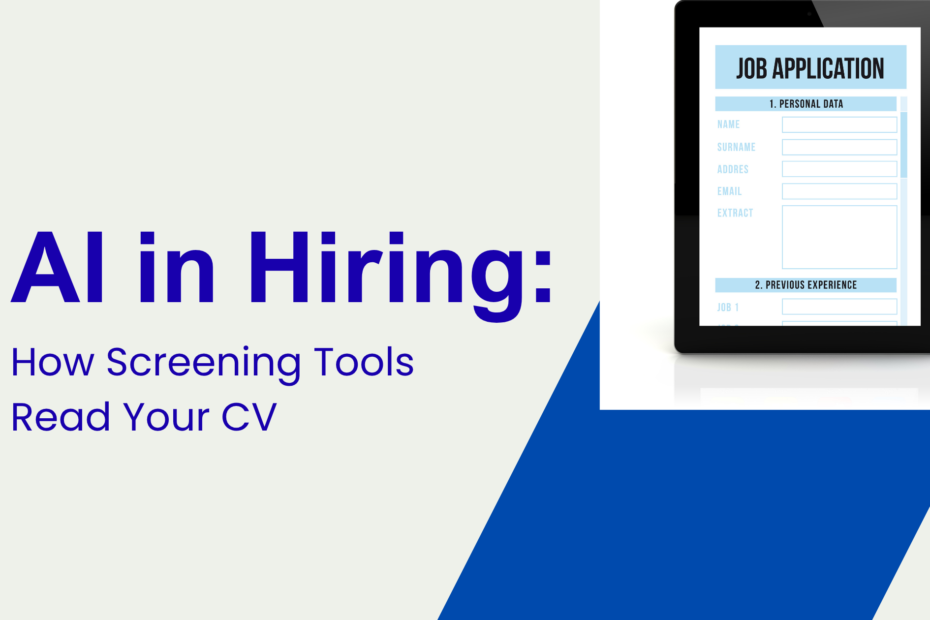
Here’s the truth: an ATS (Applicant Tracking System) isn’t a magical “reject button.” It’s a filing + search + workflow tool. In most companies, it helps recruiters collect applications, parse your details, and search/filter candidates. Your job is to make sure the system (and the human behind it) can read you clearly, find you easily, and trust you quickly.

This checklist focuses on what consistently matters in 2026: clarity, relevance, and proof not gimmicks.


First, the 2026 mindset shift: “Evidence > keywords”

Yes, keywords matter but only when they’re attached to real evidence.

A recruiter can tell when a CV has been “keyword-stuffed” or AI-pasted with vague claims. Even a recent recruiter perspective pushed back on obsessing over match scores and buzzword repetition, arguing that clear proof of capability beats keyword volume.

So: use keywords like signposts, and use achievements as the receipts.

The ATS Resume Checklist (use this before every application)

1) File format: submit what the employer can parse

  • Use DOCX when the application portal is older, strict, or explicitly requests it.
  • Use PDF when emailing directly or when the posting says PDF is fine.
  • Keep both versions ready so you can choose fast.

Indeed’s guidance is simple: the “best” format depends on how you’re submitting and what the employer asks for.

Quick rule: If the portal lets you upload and preview what they see, upload your PDF and check the preview. If the preview looks broken, switch to DOCX.

2) Layout: simple beats stylish (every time)

ATS parsing still struggles with:

  • Tables, columns, text boxes
  • Icons, fancy graphics, skill bars
  • Headers/footers that hide important info

Stick to a clean, single-column layout. Indeed explicitly recommends avoiding things like tables/graphics and keeping formatting simple.
SHRM similarly advises keeping resumes easy to analyze for ATS systems.

If your CV looks like a poster, the ATS may treat it like one.

3) Headings: use “standard labels” the ATS expects

Use conventional section titles so parsing is predictable:

  • Summary
  • Skills
  • Experience
  • Education
  • Certifications
  • Projects (if relevant)

Avoid “Cute” headings like:

  • “Where I’ve Been”
  • “What I Bring”
  • “My Journey”

ATS tools and recruiters search using familiar structures, and LinkedIn’s resume guidance emphasizes using job-description language so your content is searchable and recognizable.

4) Contact section: make it searchable, not decorative

At the top of page 1:

  • Full name (as used on LinkedIn)
  • Location (City, Country)
  • Phone + email
  • LinkedIn URL (customized if possible)
  • Portfolio/GitHub (if relevant)

Avoid putting contact details in a header bar or graphic, keep it plain text.

5) Summary: 3–5 lines that match the job you’re applying for

This is your “search snippet.” Keep it specific.

Good summary formula (fast + effective):

  1. Role identity + years/industry
  2. Core strengths tied to the job description
  3. Proof anchor (outcome, metric, scope)
  4. Tools/keywords (only the ones you can defend)

Example:

Data Analyst (5+ years) supporting retail and e-commerce teams with forecasting and dashboarding. Known for improving decision speed and reducing reporting errors through automated pipelines and QA checks. Recent wins include cutting weekly reporting time by 40%. Tools: SQL, Power BI, Python, Excel.

6) Skills: mirror the job description without lying

Create a skills section that includes:

  • Hard skills / tools (SQL, Jira, AWS, Salesforce)
  • Methods (Agile, regression testing, stakeholder analysis)
  • Domain (healthcare compliance, fintech KYC, SaaS onboarding)

LinkedIn’s keyword guidance is clear: pull terms from the job description and reflect them naturally in your resume.

But don’t do this:

  • Copy-paste a “requirements” list into skills
  • Add tools you’ve never used
  • Use buzzwords with zero context (“strategic,” “innovative,” “results-driven”) without proof

7) Experience bullets: write for BOTH the ATS and the human

Your bullets should include:

  • Action + what you did
  • Tool/method used (where relevant)
  • Outcome (metric, speed, quality, cost, risk)
  • Scope (team size, region, volume, users)

Bullet upgrade (realistic example):

Before:

  • Responsible for testing and reporting bugs.

After:

  • Executed regression testing across web releases using Jira/Xray, reducing escaped defects by 22% over two quarters by tightening acceptance criteria and adding risk-based test coverage.

This is the difference between “I did tasks” and “I created impact.”

8) Keywords: use them in the right places

Put keywords where ATS and recruiters actually look:

  • Job title alignment (don’t invent titles, but translate: “Customer Support Specialist (Technical Support)”)
  • Summary
  • Skills
  • First 3–5 bullets under your most recent role
  • Certifications/Tools

Don’t sprinkle keywords randomly. Use them where they explain your work.

9) Dates, titles, and company names: keep them consistent

ATS parsing is literal. Be consistent with:

  • Month + year format (e.g., Jan 2023 – Feb 2026)
  • Company names (no abbreviations unless commonly used)
  • Job titles (consistent with your LinkedIn)

If you were promoted, show it clearly:

  • Company name once
  • Roles nested underneath with dates

10) Education + certifications: keep them clean and scannable

List:

  • Degree, institution, year (or expected year)
  • Certifications with issuing body + year (and ID if relevant)

Avoid putting education in a sidebar, table, or graphic.

11) Don’t trigger “low-trust signals”

These don’t always “auto-reject” you, but they often reduce recruiter confidence:

  • Inconsistent formatting
  • Unexplained gaps (just label them neutrally—more on that in another post)
  • Overly long CV with no prioritization
  • Generic bullets copied across roles

And yes, overly designed layouts can confuse systems and humans alike.

12) Final pre-submit test (takes 90 seconds)

Do this every time:

  1. Copy your CV text into a plain text editor
    • If it becomes nonsense, your design is hurting you.
  2. Search your own CV for 5–8 key terms from the job description
    • Are they present in context?
  3. Read the top third of page 1
    • Would a recruiter immediately know what role you fit and why?

The “pass screening” goal in one line

Make your CV easy to parse, easy to search, and impossible to misunderstand.

Ready to put this checklist to work?

If you’re applying soon, don’t leave this to guesswork. Run your CV through CoolaCV with the exact job description you’re targeting and get an ATS-friendly, job-matched version that’s built for screening.

Try CoolaCV and Optimize your CV for that job.

Leave a Reply

Your email address will not be published. Required fields are marked *

Rejection hurts. Even when you “know it’s not personal.”

You can be qualified. You can do everything “right.”
And still get the email that starts with: “We’ve decided to move forward with other candidates…”

After a few of those, something shifts. You stop feeling curious. You start feeling tired.

So let’s make this practical.

Reddit is full of job seekers who are stuck, frustrated, and honest. But mixed into the chaos are patterns—things people keep repeating because they’re actually working.

Here’s what’s worth stealing.

1) They stopped mass applying and started matching hard

A common thread: people who apply to everything feel busy… and get nowhere.

What changed for the ones getting interviews?
They started treating each application like a match problem, not a lottery ticket.

What they do instead:

  • Apply to fewer roles
  • Only apply when they hit ~70% of requirements
  • Make sure their resume mirrors the job description language (without copying)

Why it works:
Most resumes fail because they don’t sound like the job.

Try this today

Pick one job description. Highlight:

  • core skills
  • tools
  • outcomes
  • keywords repeated 3+ times

Then ensure those exact terms appear on your resume truthfully.

CoolaCV shortcut:
Upload your resume → paste the job description → CoolaCV flags missing keywords and phrasing gaps so you can fix them fast.

If you’re applying to everything out of frustration, this will help you narrow your search: How to find a job that’s a true cultural fit

2) They rewrote bullets to show outcomes, not tasks

Reddit job seekers keep saying the same thing in different words:

“My resume explained what I did… not what changed because I did it.”

This is the single biggest reason qualified people get rejected early.

What “better bullets” look like

Before:

  • Responsible for weekly reporting.

After:

  • Built a weekly KPI dashboard in Excel; reduced reporting time by 40% and improved visibility for leadership.

Same job. Completely different impact.

A simple bullet formula that works

Result + Action + Tool + Scope

  • “Reduced ___ by ___% by doing ___ using ___ across ___.”

Even if you don’t have perfect metrics, you can estimate responsibly:

  • time saved
  • volume handled
  • errors reduced
  • turnaround improved

3) They started using “proof assets” instead of just claiming skills

This one is underrated.

A lot of Reddit advice boils down to: show, don’t tell.

People are building small proof pieces like:

  • 1-page case studies
  • mini portfolios
  • simple dashboards
  • process docs
  • GitHub repos
  • writing samples
  • bug reports or test plans

Not giant projects. Just enough to prove they can do the work.

Quick proof ideas (by role)

  • Marketing: 1-page campaign teardown + improvements
  • Data: a simple dashboard from a public dataset
  • Ops: a workflow map + SOP template
  • QA: a test plan + bug report sample
  • Customer success: onboarding checklist + renewal save story

Add the link under a “Projects” section. It signals you’re serious and it gives interviewers something real to react to.

4) They shifted from “job boards” to “human paths”

Reddit job seekers complain about job boards for a reason. They’re noisy.

People reporting better results tend to do this:

  • apply on the company website
  • find the hiring manager or team lead
  • send a short note
  • ask a smart question
  • then apply

It’s not magic. It’s just less crowded.

A message that doesn’t feel desperate

“Hi [Name], I applied for the [Role] and wanted to send a quick note. I’m especially interested in how your team is handling [specific thing from JD]. If there’s anyone I should speak to or anything I should highlight in my application, I’d appreciate your guidance.”

Short. Calm. Specific. No begging.

5) They treated interviews like a “story problem,” not a personality test

Some Reddit users say they were getting interviews but failing at the final step.

The ones who improved stopped winging it.

They:

  • built 6–8 prepared stories
  • practiced STAR format
  • kept answers under 90 seconds
  • added numbers
  • tailored stories to the job

Your “story bank” should include:

  • a project you improved
  • a time you solved a hard problem
  • a conflict you handled
  • a mistake you fixed
  • a time you learned fast
  • a time you influenced someone

You don’t need 30 stories. You need 8 strong ones.

6) They took breaks on purpose (and stopped spiraling)

This came up more than I expected.

A lot of job seekers are burned out, and burnout makes you sloppy:

  • low-quality applications
  • rushed answers
  • angry cover letters (yes, really)
  • no patience for learning

People are building recovery into the process:

  • applying in batches
  • taking weekends off
  • walking before interviews
  • limiting job boards to one hour/day

This isn’t soft advice. It’s performance advice.

A calm brain writes better resumes.

7) They stopped trying to be “perfect” and got strategic

This is the most useful mindset shift:

Rejection doesn’t always mean “not good enough.”
Sometimes it means:

  • ATS didn’t read your resume correctly
  • your resume didn’t match keywords
  • internal candidate already existed
  • the role wasn’t real (quiet freeze/ghost post)
  • you were qualified but not clearly positioned

So instead of asking, “What’s wrong with me?”
they asked, “What part of the system did I not meet?”

That question is fixable.

Also, A lot of “rejection” is actually the market freezing. This breaks down how to stay ready: Layoffs, quiet freezes, and Plan B resumes

A simple 7-day “rejection reset” plan

If you’re stuck, do this for one week:

Day 1: Pick one target role and 5 job descriptions
Day 2: Rewrite 6 bullets to show outcomes + tools
Day 3: Build one proof asset (1 page)
Day 4: Run your resume through CoolaCV against a real JD
Day 5: Send 3 warm messages to humans (not boards)
Day 6: Practice 4 STAR stories (record yourself once)
Day 7: Apply to 5 roles you actually match

Repeat weekly. Adjust based on results.

Where CoolaCV fits (without extra effort)

CoolaCV is especially useful when rejection is happening because your resume isn’t translating correctly.

Use it to:

  • check ATS compatibility
  • match your wording to the job description
  • surface missing keywords
  • generate a cover letter that sounds like you
  • keep Plan A / Plan B resume versions ready

This isn’t about tricking the system. It’s about making sure your real skills don’t get filtered out.

The takeaway

Rejection doesn’t mean you’re failing. It means your current approach needs a smarter loop.

The Reddit job seekers getting results aren’t doing wild hacks. They’re doing boring, effective things consistently:

  • matching instead of mass applying
  • showing outcomes, not tasks
  • building small proof
  • moving through humans
  • preparing stories
  • resting on purpose

Do that for two weeks and your results will change.

Your next tiny step

Pick one job post. Upload your resume to CoolaCV, paste the job description, and fix the top 3 mismatches.

Then stop.
Take a breath.
And apply with confidence because you actually match.

Header image by Freepik

Leave a Reply

Your email address will not be published. Required fields are marked *

Career cushioning is not panic. It’s insurance.

Let’s talk about something a lot of people are doing quietly right now.

They’re not “looking” for a new job.
They’re not updating LinkedIn every day.
They’re not posting “Open to Work” with a green banner.

But they are preparing.

That’s career cushioning.

It’s the strategy of building options in the background so if layoffs hit, hiring slows, or your role changes, you’re not stuck scrambling.

And honestly? It’s one of the most adult things you can do for your career.

Why career cushioning is trending now

Because the job market has changed in a specific way. It’s not always loud layoffs. Sometimes it’s:

  • hiring freezes that aren’t announced
  • backfills that never get approved
  • promotion cycles quietly paused
  • teams shrinking through attrition
  • “do more with less” becoming permanent

You can be doing your job well and still feel unstable. That’s not paranoia. That’s reality.

So people are cushioning.

What career cushioning looks like (in real life)

It’s not dramatic. It’s tiny habits. It’s someone who:

  • updates their resume monthly instead of yearly
  • keeps a short list of target companies
  • stays lightly connected to past coworkers
  • builds one skill that keeps them mobile
  • saves proof of their work (metrics, wins, outcomes)

It’s quiet competence.

Career cushioning vs. job hunting: what’s the difference?

Job hunting is active. Career cushioning is preparedness.

Job HuntingCareer Cushioning
Apply nowPrepare continuously
Big effort burstsSmall weekly habits
“I need a job” energy“I want options” energy
Often emotionalCalm and strategic

Career cushioning makes job hunting easier if it ever becomes necessary.

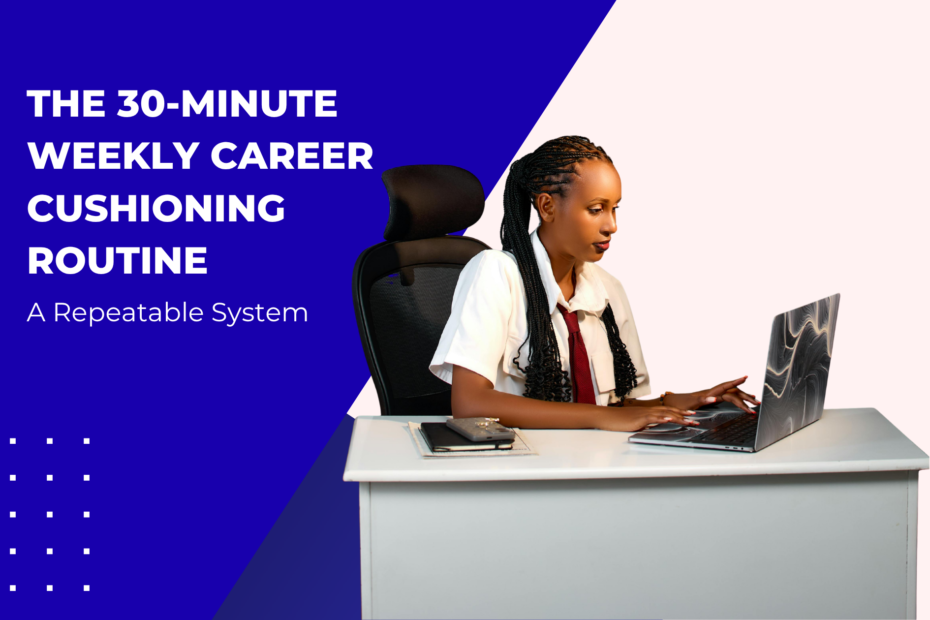
Career cushioning: A 30-Minute Cushioning Routine.”

The Career Cushioning System (simple and sustainable)

You don’t need a big plan. You need a small system. I think about careers the same way I think about systems reliability, that is, build resilience before something breaks. I wrote about this mindset in How to Build an AI-Aware Test Strategy, and the same principle applies here: preparation beats reaction.

1) Keep a “Wins Log” (10 minutes a week)

This is the most underrated thing on earth. Every Friday, write 3 bullets:

  • what you delivered
  • what improved
  • what number changed

Examples:

  • “Reduced ticket backlog from 212 → 103 by rewriting triage workflow.”
  • “Built weekly KPI dashboard; saved 2 hours per team per week.”
  • “Improved NPS from 35 to 47 by updating onboarding emails.”

This becomes your resume fuel.

2) Maintain a “Plan B skills stack” (15 minutes a week)

Pick one direction you could move into if needed. Not a full career change. Just a nearby lane:

  • CS → Implementation / Ops
  • Marketing → Lifecycle / Growth
  • QA → Automation basics
  • Admin → Program support / Ops

Then build one skill slowly:

  • GA4 or Looker Studio
  • Excel dashboards
  • Jira workflows
  • Zapier/Make automations
  • SQL basics

Small consistent learning beats random bursts.

3) Keep your resume “warm” (once a month)

This is where most people fall behind. They wait until something bad happens, then spend 8 painful hours rewriting their resume while stressed.

Instead:

  • once a month, update 2–3 bullets
  • add one fresh metric
  • remove outdated clutter

You should be able to apply to a role within 60 minutes if you had to.

Where CoolaCV fits in (without extra work)

CoolaCV is perfect for career cushioning because it makes resume maintenance quick. Instead of rewriting from scratch, you can:

  1. Upload your existing resume
  2. Paste a job description for a role you might want
  3. See how well your resume matches
  4. Adjust a few bullets and keywords
  5. Save a fresh version

This is basically “resume rehearsal.” You’re not applying. You’re staying ready.

Even better: you can maintain Plan A / Plan B / Plan C resumes by optimising against different job descriptions—without rebuilding anything.

4) Do low-key networking (without being weird)

Career cushioning networking is not begging for referrals. It’s simply staying visible and connected.

Try these:

“Light touch” message

“Hey [Name], hope you’re well. I’ve been working on [project/area] recently and thought of you. Would love to catch up when you have time.”

Comment strategically

Leave thoughtful comments on posts from people in your target companies. This builds familiarity over time.

Keep a warm list

Pick 10 people you genuinely respect. Reach out once every 2–3 months. No agenda. Just connection.

That’s how opportunities find you quietly.

5) Build one “proof asset” per quarter

A proof asset is something you can show.

Examples:

  • a short case study (1 page)
  • a dashboard screenshot
  • a workflow diagram
  • a mini portfolio page
  • a process guide

It makes your skills real. And it gives you confidence too because you’re not just saying you can do the work. You’re showing it.

The emotional benefit nobody talks about

Career cushioning reduces fear. Not because the world becomes stable but because you become prepared.

It’s a different feeling waking up and knowing:

  • your resume is ready
  • your skills are growing
  • your network is alive
  • your options are real

That’s calm. That’s power.

A simple weekly routine (30 minutes total)

If you want a tiny routine you’ll actually stick to:

✅ 10 mins: Wins log
✅ 10 mins: One skill lesson
✅ 10 mins: Resume refresh / CoolaCV check against a JD

That’s it.

That’s career cushioning.

Your next small step (today)

Open your resume. Pick one job description you’d like someday. Upload your resume into CoolaCV and see the gap.

Then fix just one thing:

  • add one metric
  • rewrite one bullet
  • surface one relevant skill

You don’t need to do everything. You just need to stay ready.

Leave a Reply

Your email address will not be published. Required fields are marked *

Let’s get one thing out of the way

The job market isn’t “broken.”
It’s just… different.

And if you’ve been feeling confused about what to learn, where to pivot, or whether your current skills still matter—you’re not behind. You’re actually right on time.

Because according to nearly every major workforce report released in the past year, skills, not job titles, are now the real currency of work.

Let’s break down what that actually means, what skills are rising fastest, and how to position yourself without burning out or going back to school.

First: What the data is actually saying

Across multiple reports (World Economic Forum, LinkedIn, McKinsey, OECD), a few patterns keep repeating:

Skills change faster than roles

Most jobs aren’t disappearing. They’re evolving.

Your title may stay the same, but the tools, expectations, and outputs are shifting fast especially with AI entering everyday workflows.

Employers are hiring for adaptability

Not perfection. Not credentials.
They’re looking for people who can learn, adjust, and apply tools quickly.

Degrees still matter but they’re no longer the filter

Hiring managers now scan for:

  • Skills
  • Tools
  • Results
  • Learning speed

Degrees alone don’t tell that story anymore.

The 5 skill categories growing fastest right now

These aren’t guesses. They show up consistently in job postings and hiring data.

1. AI & Digital Fluency (Not Coding)

This surprises people.

Most companies don’t expect you to build AI. They do expect you to know how to work with it.

That includes:

  • Writing clear prompts
  • Using AI for research or drafts
  • Reviewing AI output critically
  • Understanding limitations and risks

If you can say:

“I use AI to speed up research, documentation, and analysis while validating outputs manually.”

You’re already ahead.

2. Data Literacy (Even at a Basic Level)

You don’t need to be a data scientist.

But you do need to:

  • Read dashboards
  • Spot trends
  • Ask better questions
  • Explain numbers clearly

Tools showing up everywhere:

  • Excel / Google Sheets
  • Power BI / Looker
  • GA4
  • SQL (basic)

Even basic familiarity makes you more employable across roles.

3. Process & Systems Thinking

This one is huge and underrated. Companies want people who can:

  • Spot inefficiencies
  • Document workflows
  • Improve handoffs
  • Reduce manual work

This shows up in:

  • Operations
  • Customer success
  • HR
  • Marketing
  • IT
  • Project management

If you’ve ever “made things run smoother,” you already have this skill.

4. Communication That’s Actually Useful

Not presentations. Not buzzwords. Real communication skills now mean:

  • Writing clearly
  • Explaining decisions
  • Summarising complex info
  • Working async
  • Collaborating across teams

This is why strong written communication now ranks higher than public speaking in many roles.

5. Learning Speed (The Meta Skill)

This is the big one.

Hiring managers want people who:

  • Learn new tools quickly
  • Adapt without complaining
  • Don’t panic when things change
  • Can self-direct learning

You can’t fake this but you can show it.

The 5 skill categories growing fastest right now

The shift most people miss

Here’s the quiet truth:

Companies aren’t hiring for who you are. They’re hiring for what you can handle next.

That’s why resumes built around:

  • responsibilities
  • job descriptions
  • static roles

…are getting ignored.

And resumes built around:

  • outcomes
  • tools
  • learning
  • adaptability

…are getting interviews.

So what should your resume look like now?

Not flashy. Not long. Just strategic.

Your resume should show:

  • What problems you solve
  • What tools you use
  • How fast you learn
  • What you’ve improved
  • How your skills transfer

Instead of:

“Responsible for reporting and analysis”

Try:
“Built weekly performance dashboards in Excel and Looker; reduced reporting time by 40%.”

Same job. Completely different impact.

Split comparison card
Left: “Old Resume” (tasks, responsibilities, vague bullets)
Right: “Future-Proof Resume” (skills, tools, outcomes)

This is where CoolaCV helps (without rewriting everything)

If you already have a resume, you don’t need to start over.

With CoolaCV, you can:

  • Upload your existing resume
  • Paste a real job description
  • See exactly which skills are missing
  • Reword your experience to match market language
  • Generate a tailored cover letter

It’s not about faking experience. It’s about translating what you already do into what employers understand.

A simple way to future-proof yourself (30 minutes)

Try this today:

  1. Find 2 job ads you’d want in 6–12 months
  2. Highlight repeated skills
  3. Compare them to your resume
  4. Update 3 bullet points to reflect those skills
  5. Run it through CoolaCV to check alignment

That’s it. No overhaul. No panic.

The real takeaway

The future of work isn’t about chasing trends.

It’s about:

  • staying curious
  • learning in small loops
  • documenting your growth
  • and keeping your resume ready before you need it

If you do that, you won’t fear change but you’ll move with it.

Ready to future-proof your resume?

Upload it to CoolaCV, match it against real job descriptions, and see exactly where you stand.

Optimise your resume today — be ready before you need to be.

1 thought on “The Future of Skills: What the Latest Job Market Reports Say You Need to Learn”

Leave a Reply

Your email address will not be published. Required fields are marked *

The vibe right now? Uncertain—but not hopeless

Maybe nobody’s been laid off on your team. But promotions are paused. Reqs disappear. Budgets get “revisited.”
That’s a quiet freeze and it’s why waiting until you need a resume is the worst move.

This isn’t about doom-prepping. It’s about giving yourself options so you can breathe.

First, let’s name what’s happening

  • Layoffs: Sudden, visible, stressful.
  • Quiet freezes: Hiring slows, backfills stall, growth roles vanish but no announcement.
  • Role creep: Same workload, fewer people, no pay change.

None of these mean you failed. They mean the market shifted.

So your response shouldn’t be panic, it should be preparation.

The smart move: build a 3-resume system

Think in tracks, not exits.

🅰️ Plan A — Same role, different company

This is your “if nothing changes except the logo” resume.

Focus on:

  • Your current title and responsibilities
  • Clear outcomes and metrics
  • Tools you already use well

Use this when you want stability or a clean lateral move.

🅱️ Plan B — Adjacent role (the quiet pivot)

This is where most opportunity lives right now.

Examples:

  • Product → Program / Ops
  • Marketing → Lifecycle / Growth Ops
  • Customer Success → Implementation / Support Ops
  • QA Manual → QA Automation / SDET-lite

Focus on:

  • Transferable skills
  • Process improvement
  • Automation, data, documentation, cross-team work

This resume tells a transition story not a restart.

🅲 Plan C — Income bridge

This isn’t a step back. It’s a buffer.

Examples:

  • Contract or freelance work
  • Consulting / tutoring
  • Short-term ops or support roles
  • Project-based work

Focus on:

  • Speed to value
  • Breadth of experience
  • Reliability and execution

Plan C keeps cash and confidence flowing while you choose your next move.

What actually changes between A, B, and C?

Not everything. Just the emphasis.

SectionPlan APlan BPlan C
TitleCurrent roleTarget adjacent roleConsultant / Contractor
SummaryDepth & scaleTransferable skillsSpeed & reliability
BulletsMetrics in-roleOutcomes + toolsDeliverables
SkillsCore stackBridge stackBroad, practical
ProjectsOptionalStrongly recommendedOptional

Same career. Different angles.

Don’t rewrite from scratch but reframe

This is where people burn out. You don’t need three brand-new resumes. You need three lenses.

Example:

Original bullet:

Led weekly reporting for leadership.

Plan A:

Owned weekly exec reporting; tracked KPIs across 5 teams and flagged risks early.

Plan B:

Built automated KPI dashboards in Sheets/Looker; reduced manual reporting time by 40%.

Plan C:

Delivered weekly KPI reports for multiple stakeholders under tight timelines.

Same work. Different signal.

Use CoolaCV to keep all three ready

Here’s the low-effort way to manage this:

  1. Upload your base resume to CoolaCV.
  2. Paste a real job description for Plan A → optimise → save version.
  3. Paste a JD for Plan B → optimise → save version.
  4. Paste a contract/short-term JD for Plan C → optimise → save version.

CoolaCV helps you:

  • Spot missing keywords fast
  • Adjust phrasing for each track
  • Catch ATS formatting issues
  • Generate a matching cover letter when you need it

You’re not guessing, you’re responding to the market.

The monthly “career maintenance” habit (30 minutes)

Put this on your calendar:

  • Update one bullet with a new metric
  • Run one resume version through CoolaCV against a fresh JD
  • Save the updated file
  • Send one low-pressure networking message

That’s it. No spiralling. No all-nighters.

What to say if someone asks, “Are you looking?”

You don’t need to confess anxiety.

Try this instead:

“I’m not urgently looking, but I’m open to strong opportunities especially around [your Plan B direction].”

That keeps doors open without lighting a flare.

If layoffs do hit suddenly

Do these three things first:

  1. Download your files (reviews, metrics, work samples you’re allowed to keep).
  2. Activate Plan A resume immediately.
  3. Shift networking to warm contacts before mass applying.

You’ll be moving while others are still frozen.

Not Ready for a Layoff? Fix That in 30 Minutes

Hiring is slowing and quiet freezes are real. Get the exact Plan A / B / C resume checklist used by smart professionals to stay prepared without panic.

What’s inside the checklist:

  • ✔️ Plan A resume (same role, new company)
  • ✔️ Plan B resume (adjacent pivot roles)
  • ✔️ Plan C resume (income bridge & contract work)
  • ✔️ Monthly 30-minute maintenance routine
  • ✔️ Layoff-day action steps

👉 Download the Free Checklist. A practical career prep only.

A quiet truth worth saying out loud

Needing a Plan B doesn’t mean you’re disloyal. It means you’re realistic.

The strongest professionals today aren’t the ones who “wait it out.”
They’re the ones who stay ready.

Your next small step (today)

  • Decide what Plan B looks like for you.
  • Find one real job description for it.
  • Upload your resume to CoolaCV and optimise for that role.
  • Save the file even if you never use it.

That’s peace of mind you can feel.


Related reads

Leave a Reply

Your email address will not be published. Required fields are marked *

The mid-career moment (and why you’re not “starting over”)

You’ve shipped projects, led teams, solved messy problems. That work still counts. A pivot isn’t a reset—it’s a reframe. Your job now is to translate your history into the language of the role you want next.

This guide shows you how to do it fast and without fluff.

Step 1: Pick a direction (not a forever title)

You don’t need “the one.” You need a direction for the next 6–8 weeks.

Examples:

  • Project Manager → RevOps / Program Ops
  • Customer Success → Implementation / Solutions / Product Ops
  • QA Manual → QA Automation (Cypress basics)
  • Marketing Generalist → Lifecycle/Growth with GA4 + SQL

Direction gives you a filter for learning, networking, and resume edits.

Step 2: Build your transferable skills map

Open 5 live job posts in your direction. List the repeated skills, tools, and outcomes.

Then map each to something you’ve already done:

Target Signal (from JDs)Your Transferable Proof
“Own cross-functional delivery”You led a 3-team launch last year
“Automate reporting”You built a weekly KPI deck in Sheets/Power BI
“Ticketing/triage”You ran an intake board in Jira/ServiceNow
“Stakeholder comms”You ran exec updates and post-mortems

If you can name tool + action + result, you’re in good shape.

Step 3: Rewrite 6-8 bullets in the new language

Swap role-specific wording for outcome + lever + scope.

Before (PM):
“Coordinated sprints with engineering and design.”

After (Program/RevOps):
“Reduced cycle time –18% by standardising intake and automating handoffs in Jira + Zapier across 3 teams.”

Before (CSM):
“Handled enterprise accounts and renewals.”

After (Implementation):
“Delivered 12 go-lives/quarter; built runbooks and cut time-to-value from 21→12 days using HubSpot + Notion.”

Do this for your top accomplishments from the last 3–5 years.

Step 4: Ship one lighthouse project (proof beats promises)

You don’t need a new degree. You need one piece of proof that screams “ready.”

Ideas you can finish in a weekend:

  • RevOps: lead-routing flow + automated enrichment (diagram + short Loom)
  • QA Automation: Cypress smoke test suite for a demo app + README
  • Lifecycle Marketing: GA4 + Looker Studio dashboard with a sample cohort analysis
  • Implementation: onboarding checklist + risk register template

Link it on your resume and LinkedIn Featured. Keep it simple and useful.

Step 5: Build two resume versions (A/B)

  • Version A – Adjacent: Stays close to your current role; emphasises tools and outcomes already in your wheelhouse.
  • Version B – Target: Uses the new title/keywords up top, pulls the most relevant bullets first, and references your lighthouse project.

You’ll use A for safe roles, B for stretch roles.

Step 6: Tune to real job posts with CoolaCV

Stop guessing what to highlight.

  1. Upload your resume (PDF/DOCX) to CoolaCV.
  2. Paste a live job description for Version A or B.
  3. Get instant guidance on:
    • Missing keywords and role-specific phrasing
    • Formatting that breaks ATS
    • Which skills to surface higher
  4. Generate a matching cover letter and tweak the opening to mention your lighthouse project.

Rerun after edits until your alignment improves. You’ll feel the “now it fits” moment.

You can read → How to Use CoolaCV to Optimise Your Resume (Without Starting from Scratch)

Step 7: Update LinkedIn so recruiters “get the pivot”

  • Headline: “Program/RevOps | Workflow automation, Jira, Zapier | Cut cycle time –18%”
  • About (6–8 lines): Your direction, 2 signature wins, tools, and the transition story (one sentence).
  • Featured: Link your lighthouse project + a short case note PDF.
  • Open to work: Use both the adjacent and target titles.

Step 8: Use sane networking (no awkward DMs)

Skip “Can I pick your brain?” Try this:

Warm intro request

“Hi [Name]—I’m moving from [old area] into [direction]. I loved your post on [topic]. Could I get 15 minutes on how your team defines success for [target role]? Happy to send context ahead.”

Post-chat follow-up

“Thanks again if appropriate, I’d appreciate an intro to [Team/Recruiter]. Here’s a 3-line summary you can forward.”

Keep it light. Make the ask clear.

A 6-week pivot plan you can actually do

Week 1: Direction + JD signals

  • Pick the direction.
  • Collect 5 JDs, list repeated skills/outcomes.

Week 2: Bullet rewrites

  • Rewrite 6–8 bullets using the new language.
  • Draft Version A (adjacent).

Week 3: Lighthouse project

  • Ship one usable artefact and publish it.

Week 4: Version B + CoolaCV

  • Build the stretch version.
  • Upload to CoolaCV, paste a live JD, accept the top fixes.

Week 5: LinkedIn + outreach

  • Refresh headline/About/Featured.
  • 10 warm messages, 2 calls.

Week 6: Applications + practice

  • Apply to 8–12 targeted roles.
  • Use AI to generate likely interview questions from the JD + your resume; practice short STAR answers.

Common mid-career worries (and the counter)

  • “I’ll look junior again.”
    Your bullets show scope and results; your lighthouse proves currency. You’re not junior—you’re re-aimed.
  • “My degree isn’t relevant.”
    Skills > degree. Keep the degree, lead with outcomes and tools.
  • “I’ve hopped around.”
    Group short stints under one employer or “Consulting,” and make each bullet measurable.

Quick checklist (Interactive)

Your next tiny step

Find one posting that excites you.
Upload your current resume to CoolaCV, paste that JD, and accept two wording tweaks.
Add a link to your lighthouse project. Send one warm outreach today.

Leave a Reply

Your email address will not be published. Required fields are marked *

Let’s be real for a second

You did what everyone said: went to school, learned the theory, maybe even did a bootcamp. Then you opened LinkedIn and saw: “Entry-level – 2 years’ experience.”
So which is it—entry-level or not?

Here’s the truth: employers in 2025 don’t just want degrees. They want proof you can do the thing. The good news? You can create that proof—even if you haven’t had a “proper” job yet.

Let’s turn your degree into doing.


1. Shift the mindset: experience ≠ employment

A lot of Gen Z gets stuck here. You think: “I can’t add that, it wasn’t a job.”
But employers don’t care where you learned it, what they do care about is if you can apply it.

You can put these on your resume:

  • Group projects (if you owned a piece of it)
  • Capstone / final-year projects
  • Freelance or family business work
  • Volunteering (church, community, student society)
  • Content creation (if it shows skill—design, marketing, editing)
  • Hackathons / case competitions

If it solved a real problem, it counts.

2. Turn student work into CV-ready bullets

Use this simple formula: Action + Tool + Result

  • “Designed a landing page in Canva for a campus event; increased sign-ups by 38%.”
  • “Managed a 4-person team to deliver a research report 2 weeks early using Notion and Google Docs.”
  • “Edited 15 short-form videos in CapCut; average watch time 42 seconds.”
  • “Created a basic CRM in Airtable for a student club to track 120+ members.”

That sounds way better than: “I helped with an event.”

3. Build 3 mini-projects in 7 days

If your resume still feels light, create proof now.

Pick your path:

  • Marketing / Comms: audit a brand’s Instagram and write a 1-page “what to fix”
  • Data / Business: analyse a public dataset and build a chart in Google Sheets / Looker Studio
  • Product / UX: redesign an app screen in Figma and explain your choices
  • Ops / Admin: build a process doc or onboarding checklist in Notion
  • IT / Helpdesk: document 5 common fixes (printer, Wi-Fi, password, VPN, Teams)

Each becomes a bullet + link.

4. Make your resume skills-first (not education-first)

A lot of Gen Z resumes start with “BSc in …” at the top and then die there.

Try this structure instead:

  1. Headline: “Entry-level Digital Marketer | Social + Email | Canva, Meta Ads basics”
  2. Summary (3 lines): who you help + how you work
  3. Core Skills: tools first (Canva, Excel/Sheets, Zendesk, Figma, CapCut, HubSpot)
  4. Projects / Experience: list the 3–5 strongest things you’ve actually done
  5. Education & Courses: degree + short courses (Google, Meta, HubSpot, AWS, Cisco, Udemy—yes, add them)

This makes you look like someone ready to work, not just study.

5. Now match it to real jobs with CoolaCV

Here’s where you stop guessing.

  1. Upload your resume to CoolaCV (PDF or DOCX).
  2. Paste a real job description from LinkedIn/Indeed.
  3. CoolaCV tells you:
    • keywords you’re missing
    • skills to surface higher
    • formatting issues that break ATS
    • and it can generate a cover letter that actually talks about the role

So if the JD says “email marketing” and your CV says “sent newsletters,” CoolaCV helps you line it up.

👉 Read more: How to use CoolaCV to optimise your resume without starting from scratch

6. Don’t hide your “internet skills”

Gen Z has things mid-career folks don’t:

  • You can edit video on your phone
  • You understand UGC and trends
  • You can write in short, punchy formats
  • You already live in Discord, Slack, Notion, Canva, CapCut

Those are real in 2025. Add a section called “Digital Skills & Tools” and list them.

7. What to do if you “have no experience”

Here’s the play:

  1. Pick a job you want.
  2. Find 3 companies you like.
  3. Create one mini-project for them (e.g. 5 TikTok ideas, 3 bug reports, 1 data dashboard).
  4. Optimise your resume for that job in CoolaCV.
  5. Send it with a short note: “I’m early in my career, so I made this to show how I’d add value from day 1.”

That beats 30 random applications.

A Checklist of things to put on your resume if you have no experience

8. Quick LinkedIn glow-up for Gen Z

  • Photo: clean, not fancy
  • Headline: “Junior Data Analyst | Excel · SQL (basic) · Looker Studio | Open to remote”
  • About: 5–7 lines, link to your projects
  • Featured: pin your best piece of work
  • Add your CoolaCV-optimised resume link if you host it

Recruiters really do search by skills now.

9. Your tiny action for today

  • Write 3 project bullets using Action + Tool + Result
  • Upload your resume to CoolaCV
  • Paste in a real job description
  • Accept 2–3 wording changes
  • Save that version as “Marketing – JD Matched”

You just moved from degree to doing.

Leave a Reply

Your email address will not be published. Required fields are marked *

The honest truth about “future jobs”

By the time a role hits job boards, the early seats are already taken. Teams quietly test titles, mix responsibilities, and only later publish a standard JD. So the trick isn’t predicting a perfect title. It’s reading signals and shaping your resume around the problems companies are trying to solve.

This guide shows you how to do that step by step.

Step 1: Watch the signals (where new roles are born)

You don’t need a crystal ball. Look for patterns in four places:

  • Product updates & roadmaps – New features create new operational needs (think: “AI features → AI enablement, red-teaming, data labeling ops”).
  • Compliance & risk news – Regulations drive hiring (ESG reporting, AI governance, privacy ops).
  • Tool ecosystems – When a tool wins mindshare (GA4, Looker, Snowflake, HubSpot, ServiceNow), “power user” jobs follow.
  • Team experiments – Hybrid titles in posts (“Ops/Analyst,” “AI Trainer,” “Automation Success”) are early prototypes.

Mini-habit: Track 10 companies you like. Skim release notes, careers pages, and LinkedIn titles monthly. Note repeated words.

Step 2: Build a “skills stack” instead of chasing titles

Future roles are really skill bundles. Pick one problem space and stack 6–8 skills around it.

Examples

AI Enablement / Adoption

  • Prompting + evaluation basics
  • Change management & training
  • Data hygiene, privacy awareness
  • Tools: ChatGPT, Claude, Notion AI, internal LLMs

Sustainability / ESG Data Ops

  • Data gathering & assurance
  • Life-cycle metrics, emissions factors
  • Tools: Excel/SQL, Power BI/Looker, reporting frameworks (GRI/CSRD)

Automation Success (RevOps/Support/IT)

  • Process mapping & triage
  • RPA/low-code tools (Zapier, Make, Power Automate)
  • API literacy, logging, incident notes

Pick one stack. That’s your direction for 4–6 weeks.

Step 3: Ship “lighthouse” proof (tiny but undeniable)

Future-proof resumes show evidence, not just interests. Create one lighthouse per stack:

  • A one-page case study (problem → action → outcome)
  • A public mini-repo/Notion page with screenshots
  • A training deck or SOP you’d actually use on day one

Examples you can finish in a weekend

  • AI Enablement: “Rolled out prompt library for support macros; cut handle time 12% in pilot.”
  • ESG Data Ops: “Built scope-3 data tracker in Looker; reconciled supplier data for 40 SKUs.”
  • Automation Success: “Automated CRM lead enrichment via API + Zapier; reduced manual entry 90%.”

Step 4: Restructure your resume for tomorrow (layout that lands)

Use a skills-first structure that ATS and humans both get:

Header: Name · Location/Remote · Email · LinkedIn/Portfolio

Value Summary (2–3 lines):
A clear thesis: “Ops generalist turning AI-enablement specialist; shipped training, playbooks, and guardrails for non-technical teams.”

Skills Stack (grouped):

  • Data/AI: SQL (basic), GA4, Looker Studio, LLM prompts/evals
  • Automation: Zapier, Make, APIs, webhooks
  • Ops: SOPs, change management, stakeholder training

Experience (impact bullets only):
Each bullet = Outcome + Lever + Scope

“Reduced time-to-resolve –18% by building AI-assisted triage rules in Zendesk; rolled out to 3 teams.”

Projects / Case Studies (linkable):
Short list with URLs or QR codes.

Learning & Credentials:
Micro-certs, courses, workshops. Keep it real, no fluff badges.

An infographic showing the Future-Proof Resume steps

Step 5: Use “proxy JDs” to target roles that aren’t posted yet

No official posting? No problem. Build a proxy:

  1. Collect 3–5 adjacent JDs (e.g., RevOps + Automation + AI Trainer).
  2. Combine repeated skills into a composite description.
  3. Tune your resume to that composite.

Then, when a real posting appears, you’re already aligned.

Step 6: Optimise to what companies say they want (with CoolaCV)

When a live JD drops:

  1. Upload your current resume to CoolaCV (PDF/DOCX).
  2. Paste the job description.
  3. CoolaCV highlights keywords you’re missing, suggests role-specific phrasing, and checks ATS formatting.
  4. Generate a matching cover letter, then tweak the opening line to reflect your lighthouse project.

Rerun after edits until your alignment score climbs. You’ll see exactly where to tighten.

You can read: How to Use CoolaCV to Optimise Your Resume Without Starting From Scratch.

Step 7: Title ideas you can pre-target (emerging role examples)

Use these as search terms and resume headings:

  • AI Enablement Specialist / AI Trainer / GenAI Program Coordinator
  • ESG/Impact Data Analyst / Sustainability Reporting Ops
  • Automation Success Manager / RevOps Automation
  • Data Product Operations / Synthetic Data Coordinator
  • Robotics/Edge Field Technician (for IoT/warehouse automation)
  • AI Risk & Safety Ops / Model Evaluation Associate

You’re not guessing, rather you’re mirroring the problems companies are signalling.

Step 8: LinkedIn tweaks that attract “pre-JD” attention

  • Headline: “Automation Success | Zapier/Make + CRM Ops | Built AI triage playbooks (–18% TTR)”
  • About: 4 lines, one lighthouse link, one stack list, one “open to” sentence.
  • Featured: Pin your best case study + a short post summarising it.

Recruiters search by skills + outcomes. Make those scannable.

Copy-ready bullets (steal these patterns)

  • “Cut onboarding time 32% by mapping process and automating steps in Make + HubSpot.”
  • “Built GA4 + Looker pipeline; gave marketing a weekly ROI view across 5 campaigns.”
  • “Created prompt library with do/do-not patterns; improved macro accuracy +21%.”

Swap tools, metric, and scope. Keep the shape.

A 30-day plan to future-proof your resume

Week 1 – Signals & Stack

  • Pick one stack and 10 companies to watch.
  • Draft a composite JD from adjacent roles.

Week 2 – Lighthouse

  • Ship one tiny, public artifact.
  • Write a 6-sentence case note.

Week 3 – Resume Upgrade

  • Restructure to skills-first.
  • Tune with CoolaCV against your composite JD.

Week 4 – Visibility

  • Update LinkedIn headline + Featured.
  • Send 8 warm messages; apply to 6 targeted roles.

The mindset shift that changes everything

Don’t wait for a title to bless your move. Act like the role already exists: build proof, talk the language, help people solve the problem. The interview is often a formality after that.

Your next tiny step

  • Pick one stack.
  • Create a 1-page lighthouse this weekend.
  • Upload your resume to CoolaCV, paste a related JD, and accept two phrasing tweaks.

That’s your future-proof resume — built today, ready for tomorrow.

Leave a Reply

Your email address will not be published. Required fields are marked *